How to create time dependent workflows in Bubble.io
Himanshu Sharma——1 min read—Updated March 5, 2023
If you want to restrict certain workflows to run only based on the user’s time, you can use conditional statements. For example, a user should be able to add new products to their store only between 8 am to 8 pm. Or a user should be able to change the product prices only between 10 am to 12 pm.
Setting up the workflow
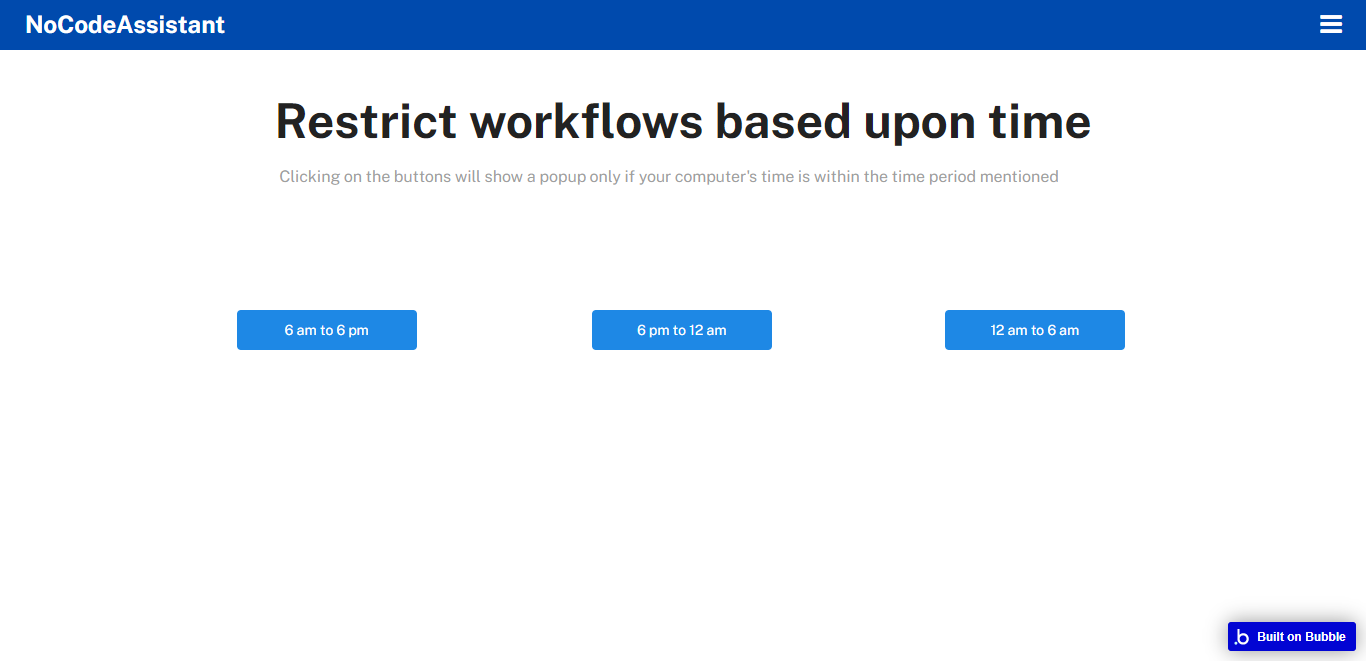
Let’s say you have a button which triggers the workflow that you want to restrict. I’ve created 3 buttons which will run only when my time is within the time period mentioned in the buttons.
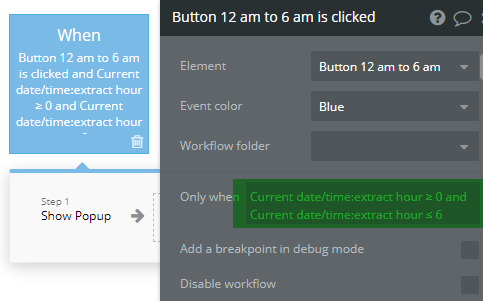
In the workflows, I’ve added conditional statements.
With this statement, I am extracting the hour component of the current user’s date and time and using it to restrict the workflow between 12 am (0000 hrs) and 6 am (0600 hrs). You can similarly extract the day, minute, second or any other date and time component.
If you need some help with your Bubble app or a team of Bubble developers to build a Bubble app for you, reach out to me at [email protected]. You can also follow me on Twitter.
Learn how to effectively use Boolean fields in Bubble to optimize your database management. Improve your app's efficiency and user experience with the simple but versatile Boolean field.